
Best Way to Run Unsigned Binaries in Terminal on macOS
- Comments:
- 3
With the introduction of Apple Silicon, macOS became much stricter about running unsigned binaries. It even refuses to execute them in the Terminal. This can be frustrating as many precompiled tools, once easily downloadable from sources like GitHub, may no longer work as expected.
By default, if you try to run an unsigned binary in Terminal, you will see an error like:
![Message: Apple could not verify [binary] is free of malware that may harm your Mac or compromise your privacy](/assets/86/warning.avif "Apple could not verify [binary] is free of malware that may harm your Mac or compromise your privacy")
Apple could not verify "[binary]" is free of malware that may harm your Mac or compromise your privacy
Instead of offering any help, macOS simply offers to move the binary to the trash. Very frustrating.
You find a lot of complicated solutions online, such as manually unquarantining and self-signing the individual binaries with:
$ xattr -dr com.apple.quarantine ./[binary]
$ codesign -s - --deep --force ./[binary]
Fortunately, there's a simple solution: add Terminal as a system Developer Tool in System Settings.
This will just allow it to run unsigned binaries. No fuss, no muss.
To do this:
- Open System Settings
- Search for "developer"
- Click Allow applications to use developer tools in the sidebar.
If Terminal is not already listed, click the + and search for it:
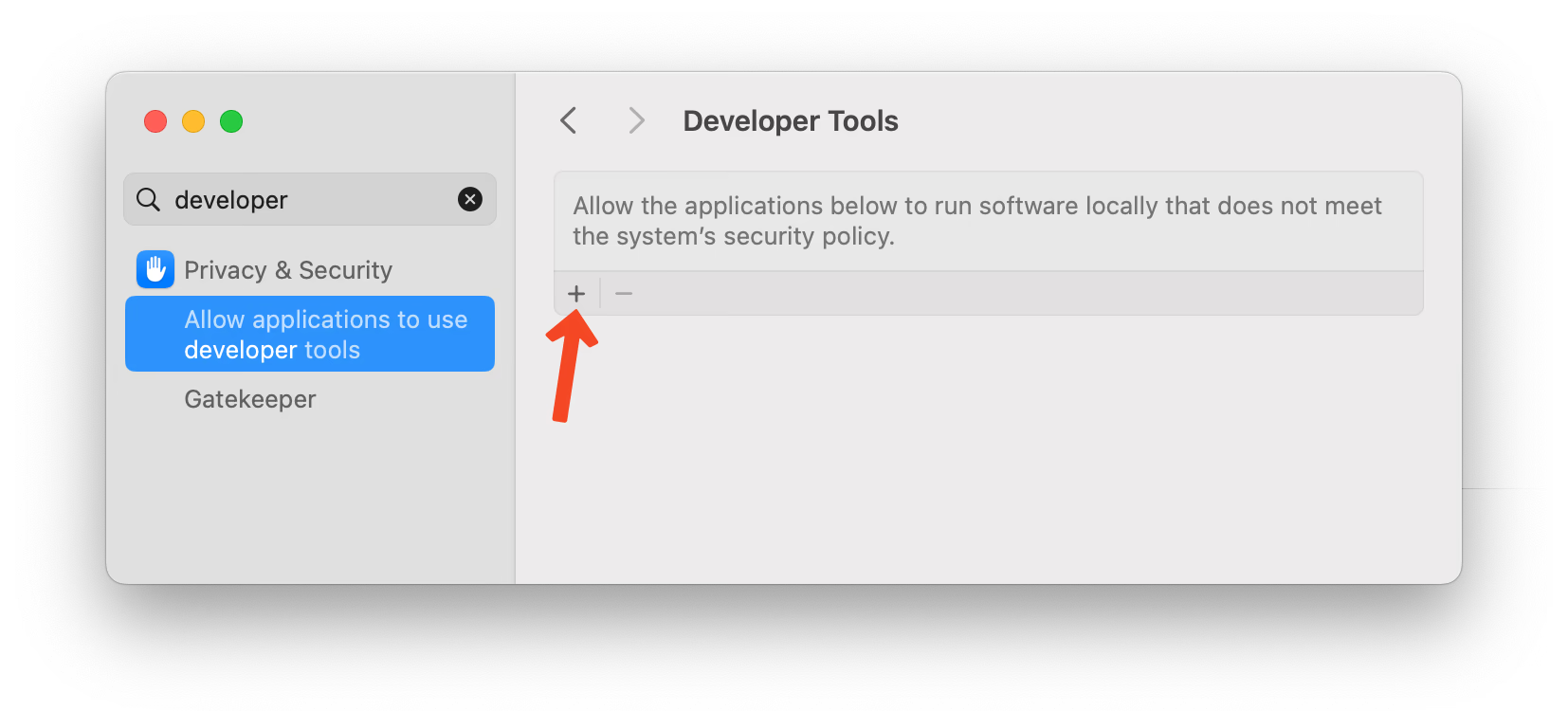
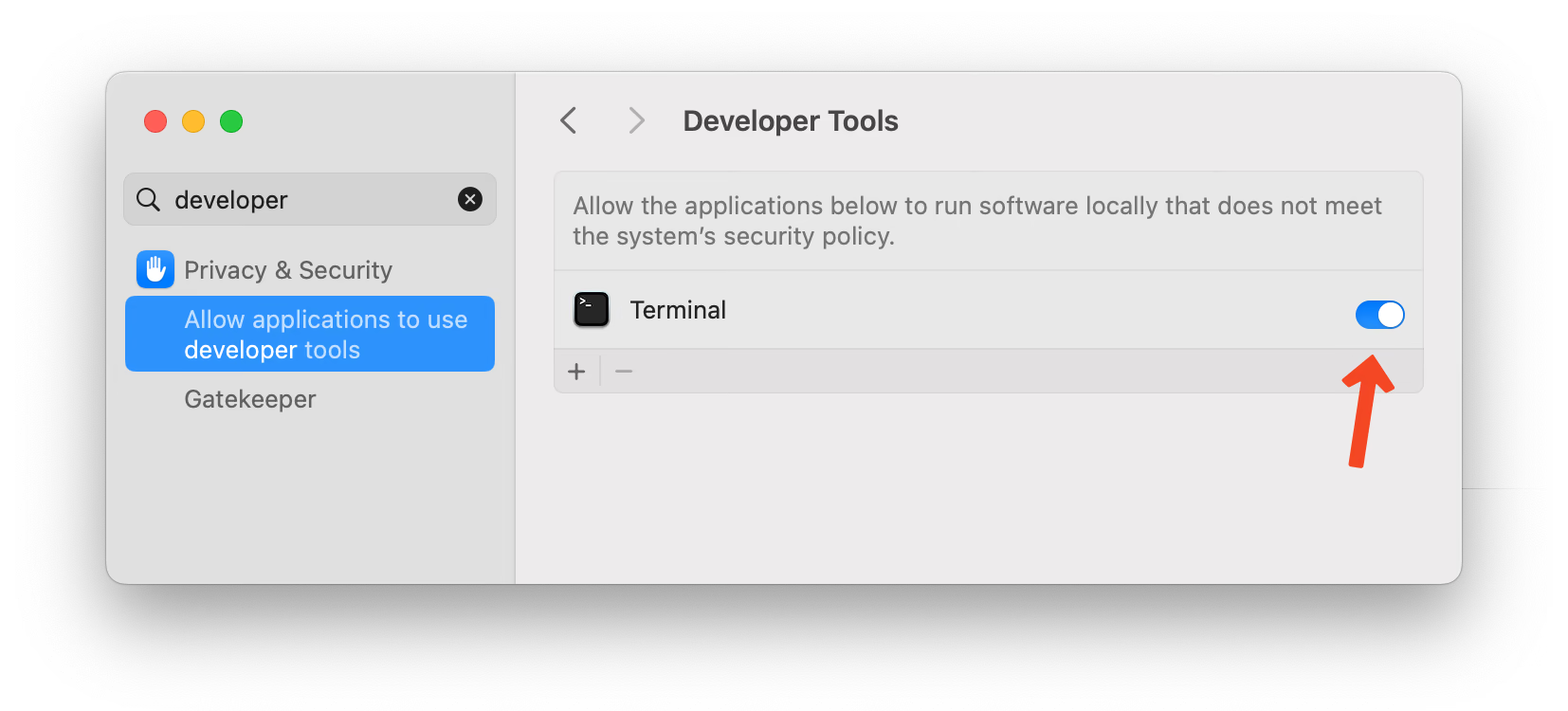
Search for Terminal in the file dialog that appears and select it.

Once added, ensure the toggle next to Terminal is enabled.
Finally, restart Terminal and everything should now work:
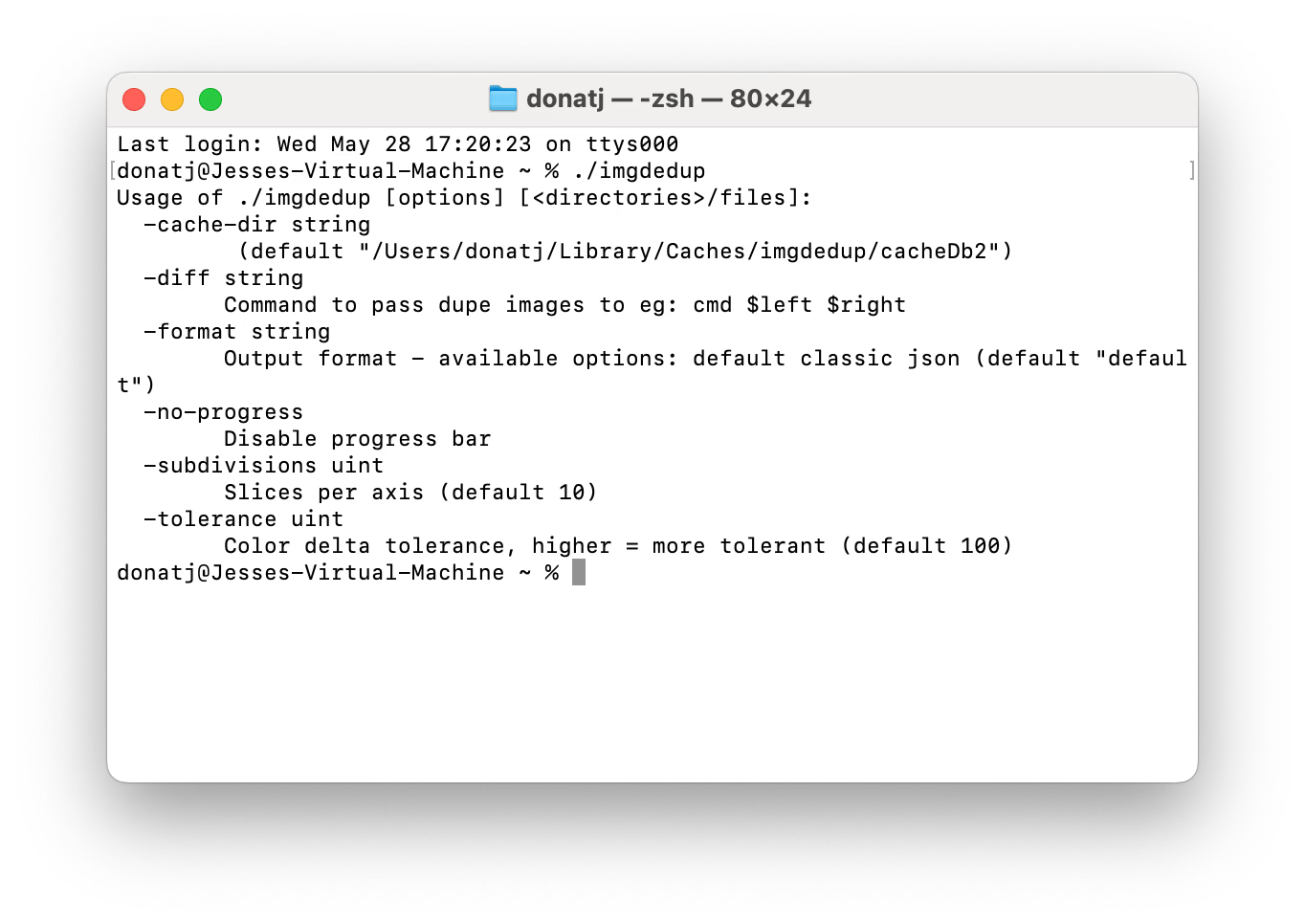
There you have it. You may now run any unsigned binary from Terminal without issues.
Comment by: Craig on
 Thank you for this! Saved me a lot of headaches trying to run a whole suite of unsigned binaries!
Comment by: dpo on
 Not a solution at all if one doesn't have access to the physical computer, keyboard and monitor. Moreover, the two terminal commands given don't work either. :-(
Comment by: Jesse G. Donat on
 Correct. This marks Terminal.app itself as a developer tool. That allows Terminal to execute unsigned binaries, but it has no effect on SSH sessions or any other type of tty session.
The code signing approach should work in this case, but a number of things can interfere. It depends on how the machine is configured, where the binary lives, and how it got there.
For example, if the binary is not on the Mac's local APFS/HFS+ volume, you may not be able to de-quarantine the binary as the resource fork / xattr required to do so might not exist.
If this is a managed device, system policies / MDM restrictions could also prevent the quarantine from being removed or self-signed binaries from running.
These instructions also only apply to recent versions of macOS (Ventura or later).